External Developer Portal API (v1)
Sustainability Master is a B2B SaaS solution for ESG management, hosted on Microsoft Azure Cloud in Europe.
The solution is data-driven, with more than a thousand data points that can be imported, processed and exported. Data can be exchanged by uploading predefined templates, through form entry by business users, or through the predefined APIs in the Sustainability Master API Portal (SMAP).
This portal helps authorized developers at customer and partner companies connect to the SMAP APIs.
Sustainability Master APIs are REST APIs. They let you perform RESTful operations such as reading, adding, modifying and deleting data.
To send requests from this portal, set up an environment with your server URL and API Secret.
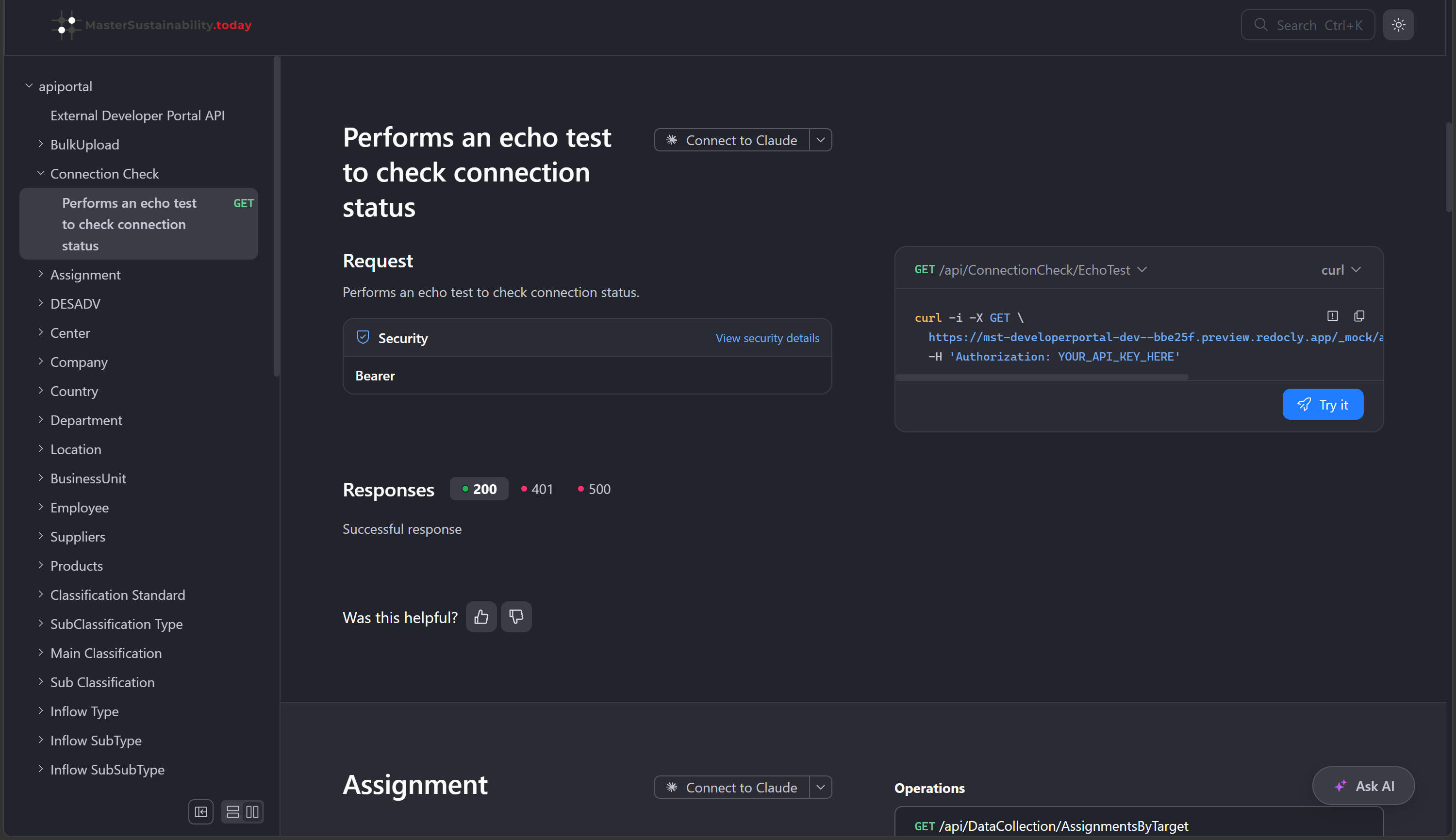
Open any endpoint in the API reference and select Try it in the request sample panel.
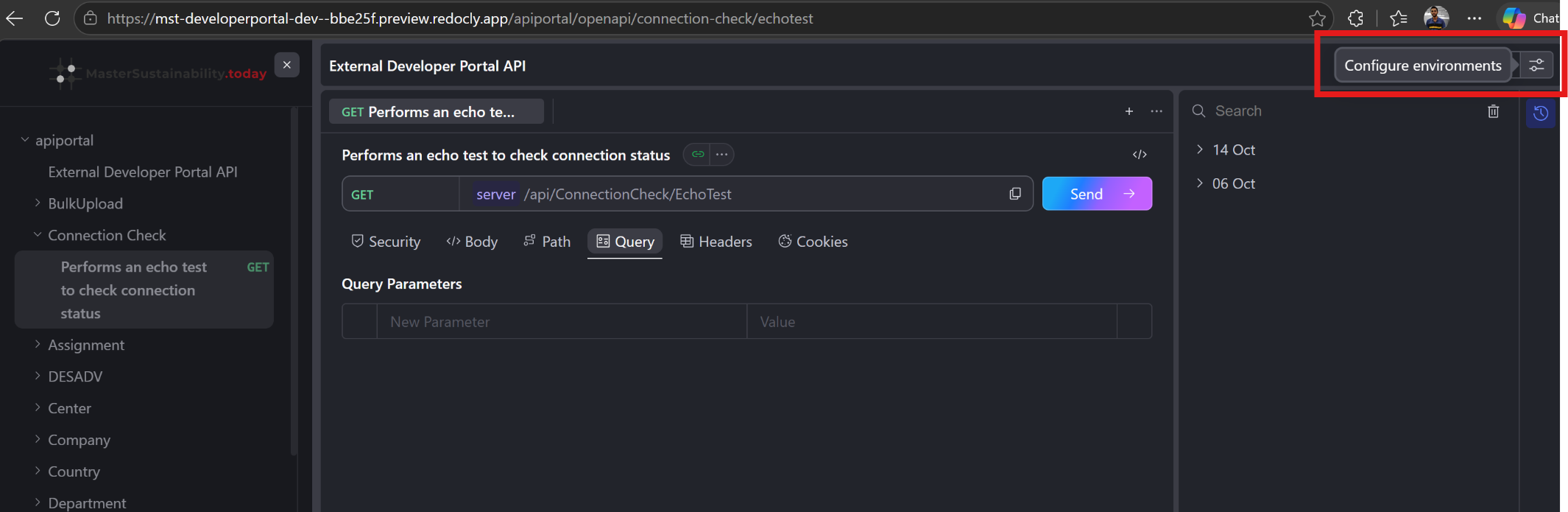
In the API console, select the Configure environments icon in the top-right corner.
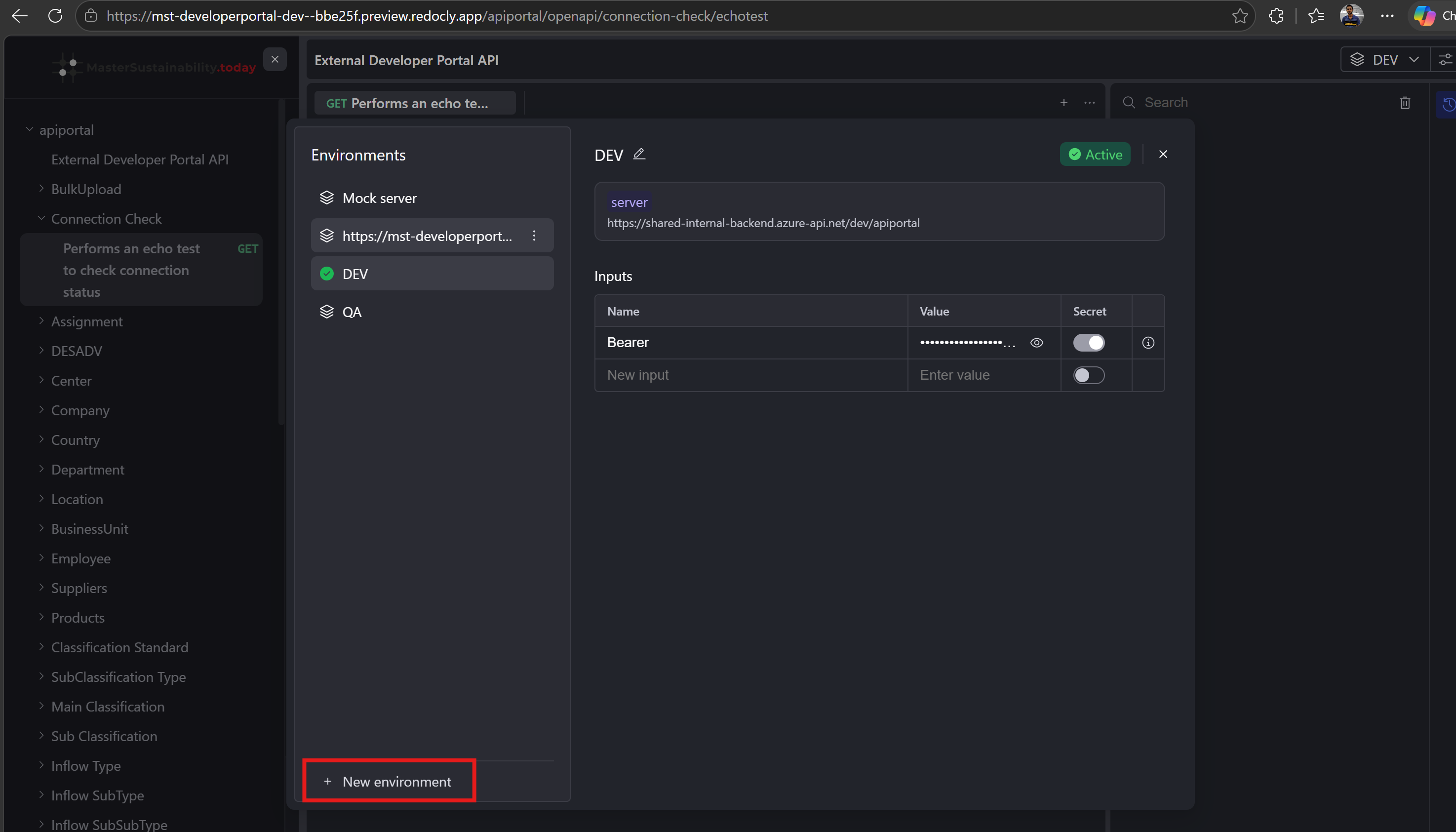
In the Environments panel, select New environment, then:
- Give the environment a name (for example,
DEVorQA). - Set the server base URL.
- Under Inputs, enter your API Secret in the Bearer input's Value field and turn on Secret so the key stays masked.
- Give the environment a name (for example,
Select the environment so it shows as Active, then send your request.
Generating an API Key: Request an API key through the Sustainability Master interface. The system generates a unique key for you.
Refreshing an API Key: When a key needs to be updated, generate a new one. It replaces the old key so access continues without interruption.
Authenticating API Requests
Once you have an API Secret, include it in the Authorization header of your API requests:
GET /api/ConnectionCheck/EchoTest HTTP/1.1
Host: <your-server>
Authorization: YOUR_API_SECRET
Content-Type: application/json
Use the Connection Check › Echo test endpoint to confirm that your API Secret works.
To protect your API Secret and maintain security, follow these best practices:
- Keep your API Secret confidential: Don't share it in public forums or code repositories.
- Rotate API Secrets periodically: Generate new secrets regularly and retire old ones.
- Use secure storage: Store API Secrets in environment variables or a secure vault.
- Limit access: Give secrets only to authorized applications and users.
- Monitor API usage: Track API calls so you can detect unauthorized access.
Error Responses
If an invalid or missing API Secret is detected, the API returns a 401 Unauthorized error.
Revoking and Regenerating API Secrets
If you suspect your API Secret has been compromised, revoke it and generate a new one in the Configurator, under API Keys.
| HTTP status | Code | Message |
|---|---|---|
| 400 | Validation error | The request body or query string is not in the correct format. |
| 401 Unauthorized | Invalid secret | The API Secret provided is invalid or missing. |
| 403 Forbidden | Access denied | The API Secret does not have permission to access the requested resource. |
| 404 | Requested resource not found | The request contains an invalid ID or domain in the URL, or the URL itself is invalid. |
| 405 | Method not allowed | The request used the wrong HTTP method. |
| 406 | Unsupported Accept header | Only application/json and */* are supported. File uploads support multipart/form-data. |
| 415 | Unsupported content type | application/xml is not supported. Only application/json is supported. |
| 500 | Unexpected server error | An internal server error occurred. |
| Code | Description |
|---|---|
invalid_value | The request contained an incorrect or blank value, or a value in an invalid format. |
duplicate_value | The value already exists. Applies to fields that must be unique, such as a contact's email address or a company name. |